

➤Summary
Two Chrome extensions in the Web Store named ‘Phantom Shuttle’ are posing as plugins for a proxy service to hijack user traffic and steal sensitive have quietly become one of the most effective tools for cybercriminals to monitor browsing behavior, and bypass traditional endpoint security. According to recent findings highlighted by BleepingComputer, several seemingly legitimate add-ons available directly in the Chrome Web Store were weaponized to harvest login data and session cookies at scale. This issue matters because millions of users inherently trust browser marketplaces, assuming built-in vetting ensures safety. Unfortunately, malicious Chrome extensions exploit that trust, blending seamlessly into daily workflows and operating silently in the background.
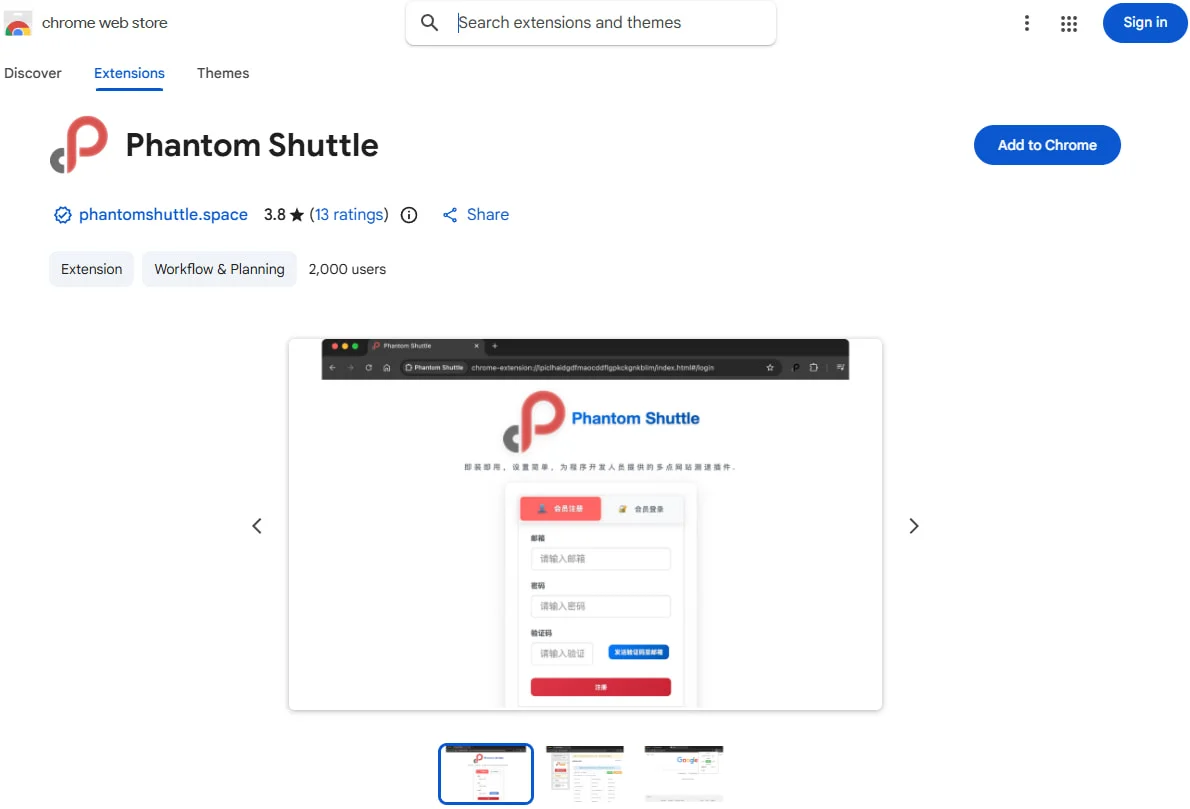
In this article, we break down how these threats work, why they are difficult to detect, and how organizations and individuals can protect themselves using proactive monitoring, including Dark web report insights and a Dark web monitoring solution designed for modern credential theft campaigns 🚨.
What Are Malicious Chrome Extensions and Why They Matter
Malicious Chrome extensions are browser add-ons that appear legitimate but contain hidden code designed to steal credentials, track activity, or inject malicious scripts. Unlike traditional malware, these extensions often request excessive permissions that users approve without scrutiny. Once installed, they can access keystrokes, capture form data, and even intercept authentication tokens. The danger lies in persistence: extensions automatically update and remain active across browsing sessions. Security teams increasingly see these threats referenced in Dark web report disclosures, where stolen credentials are packaged and sold in bulk. This makes malicious Chrome extensions not just an individual risk, but an enterprise-wide threat with long-term consequences 😟.
How Credential Theft Happens Through Browser Extensions
Credential theft through malicious Chrome extensions follows a predictable but effective pattern. First, attackers upload a seemingly useful tool such as a PDF converter, productivity enhancer, or AI helper. Second, the extension requests broad permissions like “read and change all your data on websites you visit.” Third, once installed, it injects JavaScript into login pages, capturing usernames, passwords, and cookies in real time. The stolen data is then exfiltrated to attacker-controlled servers and later appears in underground forums, often flagged in a Case Study Dark web monitoring investigation. This method bypasses many antivirus solutions because the activity occurs inside the browser, where users already expect scripts to run.
Why the Chrome Web Store Is an Attractive Target
The Chrome Web Store is an attractive target because of its massive user base and implicit trust model. Attackers know that users rarely audit extensions after installation. Even when Google removes malicious Chrome extensions, the damage is already done, as credentials may have been compromised weeks or months earlier. Threat actors also recycle code, rebranding the same malicious extension under different names. These tactics are well-documented in Dark web report analyses that track how removed extensions resurface under new developer accounts. The scale and automation involved make this a systemic challenge rather than an isolated incident 😬.
Real-World Impact on Users and Organizations
The real-world impact of malicious Chrome extensions extends beyond stolen passwords. Compromised credentials enable lateral movement, business email compromise, and cloud account takeovers. For individuals, this can mean drained bank accounts or identity theft. For organizations, the fallout includes regulatory penalties, reputational damage, and incident response costs. One question often asked is: can multi-factor authentication fully stop these attacks? The answer is no, because session hijacking via stolen cookies can bypass MFA entirely🔍.
Case Study Dark Web Monitoring: Tracking Stolen Credentials
A recent Case Study Dark web monitoring investigation revealed thousands of corporate logins traced back to malicious Chrome extensions posing as productivity tools. Analysts correlated installation timestamps with credential dumps posted on underground marketplaces. By using automated crawling and correlation, defenders identified affected domains before attackers escalated access. This case study demonstrates the value of combining browser security awareness with Dark web report intelligence. Without such monitoring, organizations may remain unaware of exposure until a breach occurs, often months later 📊.
Practical Tip: How to Reduce the Risk Today
Reducing the risk of malicious Chrome extensions starts with disciplined hygiene and continuous monitoring. Consider this practical checklist:
• Review installed extensions quarterly and remove unused ones
• Avoid extensions requesting unnecessary permissions
• Enforce extension allowlists in enterprise environments
• Monitor credential exposure using a Dark web monitoring solution
• Educate users on extension-based threats
These steps, while simple, significantly reduce attack surface and are frequently recommended by experts cited in Dark web report briefings 🛡️.
The Role of Dark Web Intelligence in Extension-Based Threats
Dark web intelligence plays a critical role in identifying the downstream impact of malicious Chrome extensions. Once credentials are stolen, they rarely stay private. Instead, they are aggregated, validated, and sold. By scanning underground forums, paste sites, and marketplaces, defenders gain early warning signals. Platforms like darknetsearch.com provide valuable context for understanding where stolen data circulates and how it is monetized. Integrating this intelligence with endpoint and identity security creates a layered defense that addresses both infection and exploitation stages.
Trusted Sources and Industry Insights
Security researchers quoted by BleepingComputer emphasize that browser extensions represent a blind spot in many security programs. One expert noted that “extensions effectively run with the same privileges as the user, making them a high-value target for attackers.” Reputable reporting from BleepingComputer confirms that even official stores are not immune to abuse, reinforcing the need for independent verification and monitoring. Combining such insights with Dark web report findings helps organizations stay ahead of evolving tactics.
Conclusion: Staying Ahead of Malicious Chrome Extensions
Malicious Chrome extensions are no longer a fringe threat; they are a mainstream attack vector actively exploited to steal credentials at scale. Trust in official marketplaces is not enough. Organizations and individuals must adopt proactive measures, including regular audits, user education, and intelligence-driven defenses. Leveraging a Dark web monitoring solution and learning from each Case Study Dark web monitoring example can mean the difference between early detection and a full-scale breach. Discover much more in our complete guide and Request a demo NOW to see how proactive monitoring can protect your digital identity and business today 🚀.
Discover how CISOs, SOC teams, and risk leaders use our platform to detect leaks, monitor the dark web, and prevent account takeover.
🚀Explore use cases →